Connect, simulate,
and test any connection
One console to forward ports, mock backends, host throwaway SQL databases, echo traffic, drive requests and inject real-world network chaos — the big-eared bridge between your services.
docker runEverything between client and server
Forwarding rules
TCP, UDP and HTTP forwarders from any reserved port to any host, with live connection and byte counters.
Mock servers
Listeners that answer traffic instead of forwarding it — HTTP, WebSocket, raw TCP, plus MCP and LLM — matched by priority-ordered rules with templated responses and a live request log.
Mock databases
Real SQL databases in two clicks: SQLite hosted on a reserved port over the PostgreSQL wire protocol. Connect with any Postgres driver, seed from the SQL console, watch every query live.
Network simulator
Break the network on purpose: latency, throttle, drop, corrupt, blackhole and close — stacked, scheduled and armed from the UI.
API client
Save, send and schedule HTTP & WebSocket requests server-side — with environments, history, monitors, test suites and a concurrent load mode.
Echo servers
Instant TCP or UDP echo listeners that mirror back whatever they hear — the quickest way to smoke-test a path.
MCP explorer
Connect to a Model Context Protocol server, discover its tools, resources and prompts, and invoke them live.
Port manager & projects
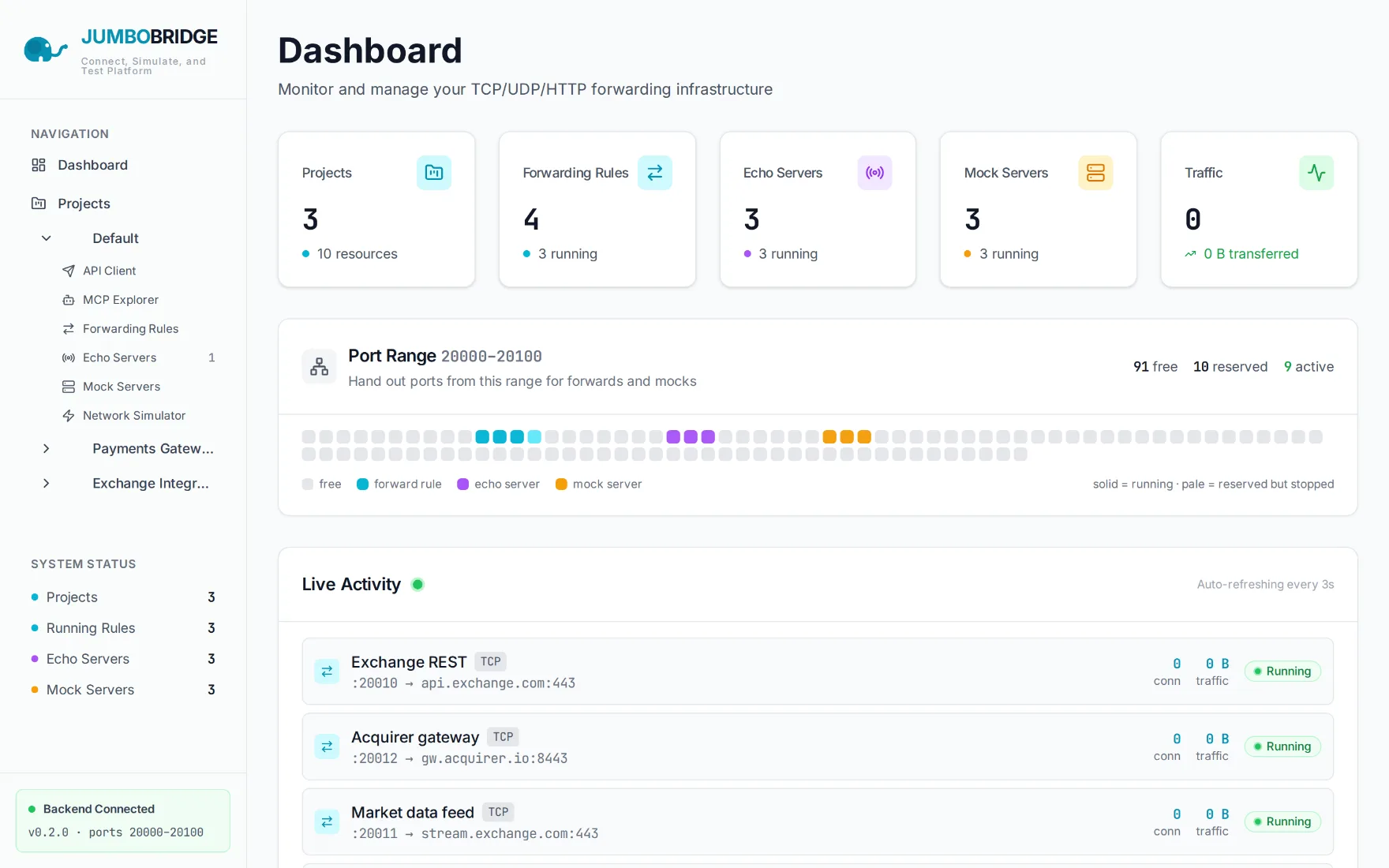
A fixed reserved range with auto-assignment and conflict checks, grouped into projects — live counters, byte totals and a WebSocket-fed activity feed on the dashboard.
Headless CLI
The same engines as a single jb binary for Windows, Linux and macOS — run forwarders, echoes, mocks and mock databases from flags, a config file, or the server's own database.
Reserve a port. Point it anywhere.
Hand out ports from 20000–20100 to forwards, echoes, mocks and mock databases. Group them into projects, watch every byte cross the trunk in real time, then break the network on purpose to see what holds.
A real dashboard, not a config file
Put an elephant between
your services
Runs in Docker, zero config, no login. Reserve your first port in under a minute.
Read the install guide